
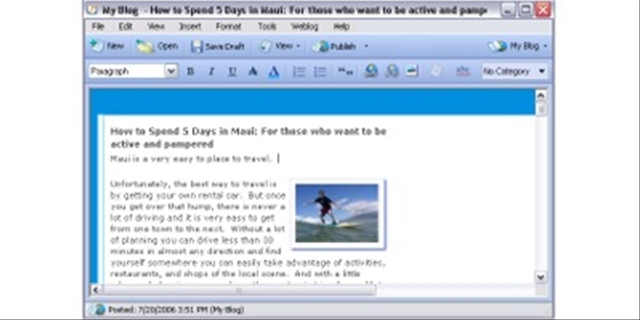
 Most of the time, I have internet access, using my bluetooth cell phone when no other options exist. I usually write my posts online. But I’ve been wondering about the offline blogging tools out there and one that I ran across is Windows Live Writer, which I am using to write this post. The program is currently in beta and is a part of the whole Windows Live series.
Features of WLW:
- WYSIWYG editing. The editor includes a spell checker as well as the standard formatting items, such as bold, underline, strike through, text colors, outlines, and quotes. Alternatively, for those who know HTML, you can use that.
- Rich content. Adding photos and maps are easy, as are links. It appears to actually have better tools for pictures that are available on wordpress.com, where my blog is hosted.
- Offline editing. The ability to write a post when you don’t have internet access is great. In addition, you have access to all the normal things you would include in a post, such as categories (read from the existing ones on your blog). You can add trackback information and keywords as well.
- Toolbar integration with IE. At the time of installation, it asks if you want a toolbar added to Internet Explorer. I can’t comment on that part since I don’t use IE 🙂
If this works, I can see myself using it quite regularly, especially for longer posts. According to the website, WLW works with:
Windows Live Spaces, as well as Blogger, LiveJournal, TypePad, WordPress, and many other services.
Give it a whirl.
 VIVIAN J. PAIGE | All Politics is Local
comment deleted by blog admin
Deleting comments is not something that I do regularly; in fact, this is only the second time. But the comment had absolutely nothing to do with this thread (long missive extolling the virtues of Jim Webb). I will always delete comments that are inappropriate.
If you have not tried BlogDesk then I suggest you download both programs and run a comparison. I use BloGDesk which IMO is superior. BlogDesk has a contexual spellchecker and has a built in technorati tag generator and Live Writer lacks a technorati tag generator and it’s spellcheck isn’t contextual as far as I can tell.
Blog Desk is easier to use, uploads far more quickly. Granted Live Writer it does allow the insertion of a map which may be useful from time to time for some people but not for me.
But beware because Live Writer it does not recognize the wordpress “more” tags. And it does not have as many options for image posting as BlogDesk does.
Live Writer is of course geared for the use of IE which I have ignored ever since I got a firefox browser. Currently I’m favouring BlogDesk over Live Writer.
I thought that Technocrati tags were generated from our categories here. (And what are the keywords in Live Writer for?)